Tell me what you want to build.
You don't need a full plan. Share the goal and what you have so far, and I'll tell you honestly whether I can help.
Being built for a client: one IT desk for 5 companies.
A paid tool gives only basic help, and IT keeps its records in Excel and local files.
In progress for a client with 5 companies. Employees will raise and follow their own tickets, and IT will track every device in one place. I'm building it from a clean copy of Helpdesk.
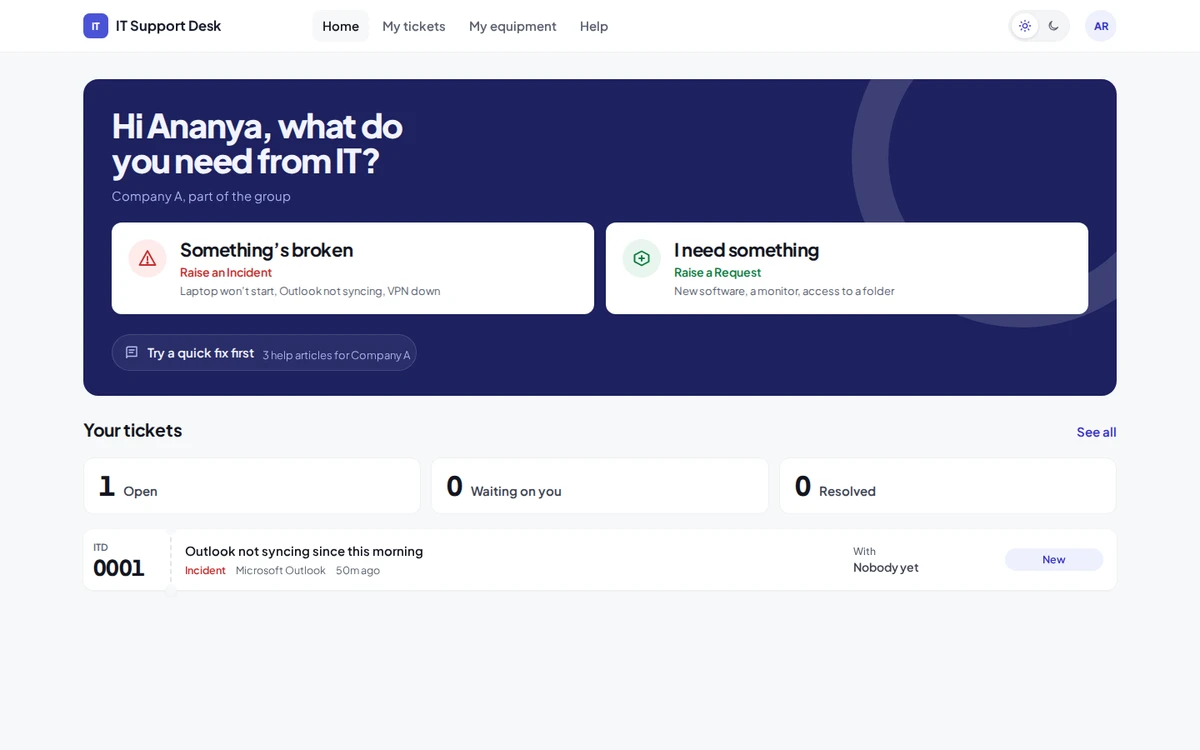
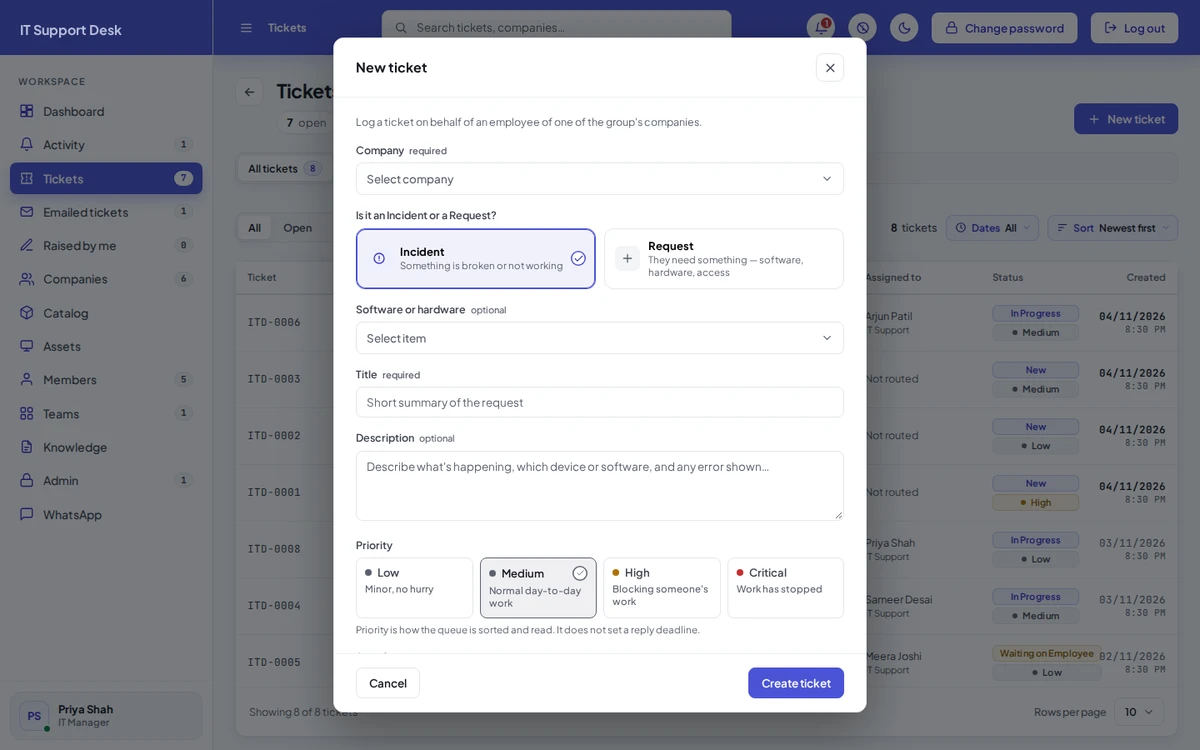
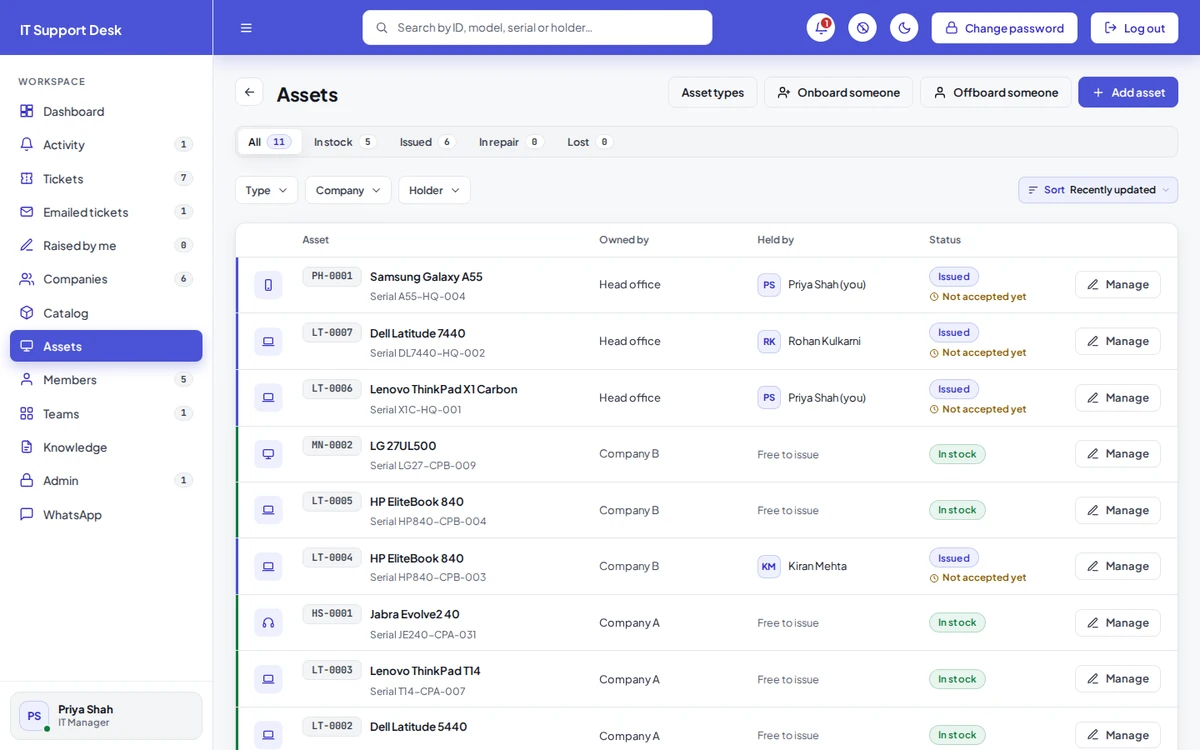
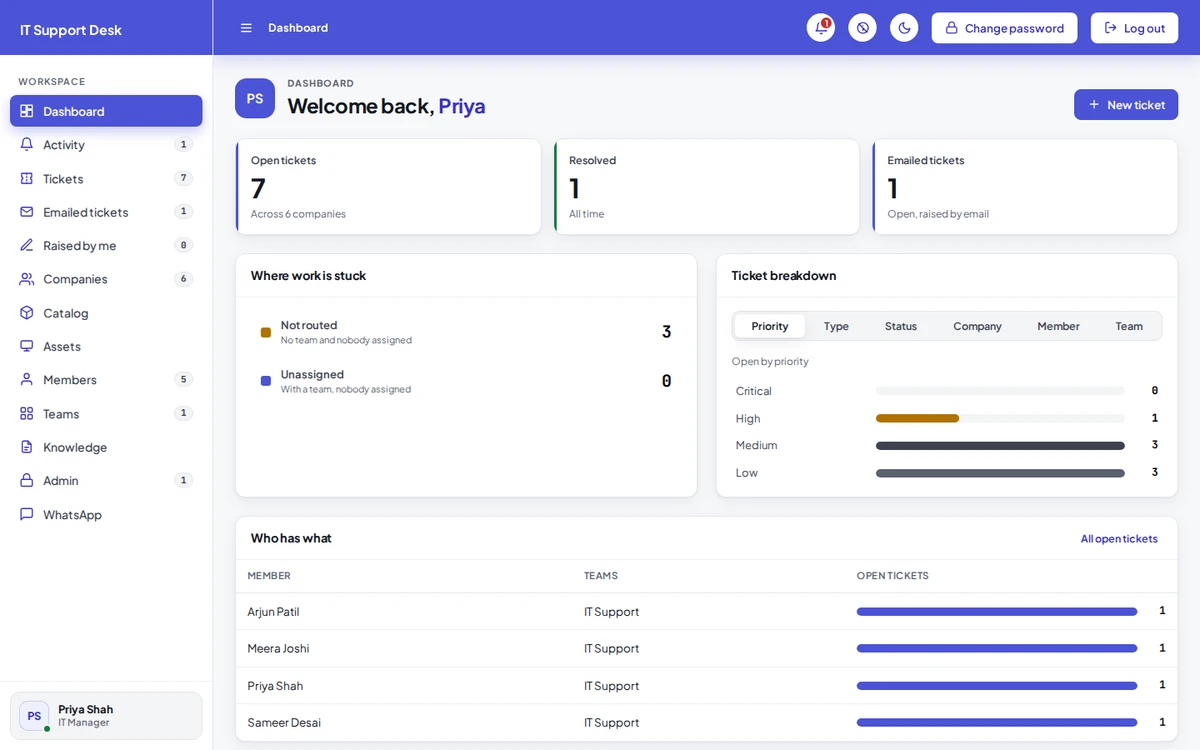
These screens use placeholder names and test data.
Employees will raise an incident or a request in a few plain questions, try a quick-fix article first, and follow each ticket: open, waiting on them, or resolved.
Tickets will arrive by email from each company's registered domain.
IT will see who holds every device, and each device will keep its history: issued, returned, repaired.
Articles will be reviewed before they're published.
Employees will get an email on every ticket change, plus WhatsApp where IT switches it on.
Employees will sign in with Microsoft.
A ticket will open when someone joins or leaves, listing the devices to set aside or collect.
Employees will accept each device issued to them.
Employees will pick what they need from a catalog, and requests that need a manager's approval will wait for it.
Tickets will go to the right IT team on their own, and IT can log one for an employee of any company.
Each company will see only its own tickets and devices.
IT will see where work is stuck and who has what, and every ticket will record who changed what.
Employees will see help articles before they raise a ticket.
You don't need a full plan. Share the goal and what you have so far, and I'll tell you honestly whether I can help.